A plan is a versioned budget or forecast built on your chart of accounts. You can keep several per year — an annual budget, a mid-year reforecast, a working copy — and compare any of them to actuals in Reports.
Create a plan
- Open Plans in the sidebar and click New plan.
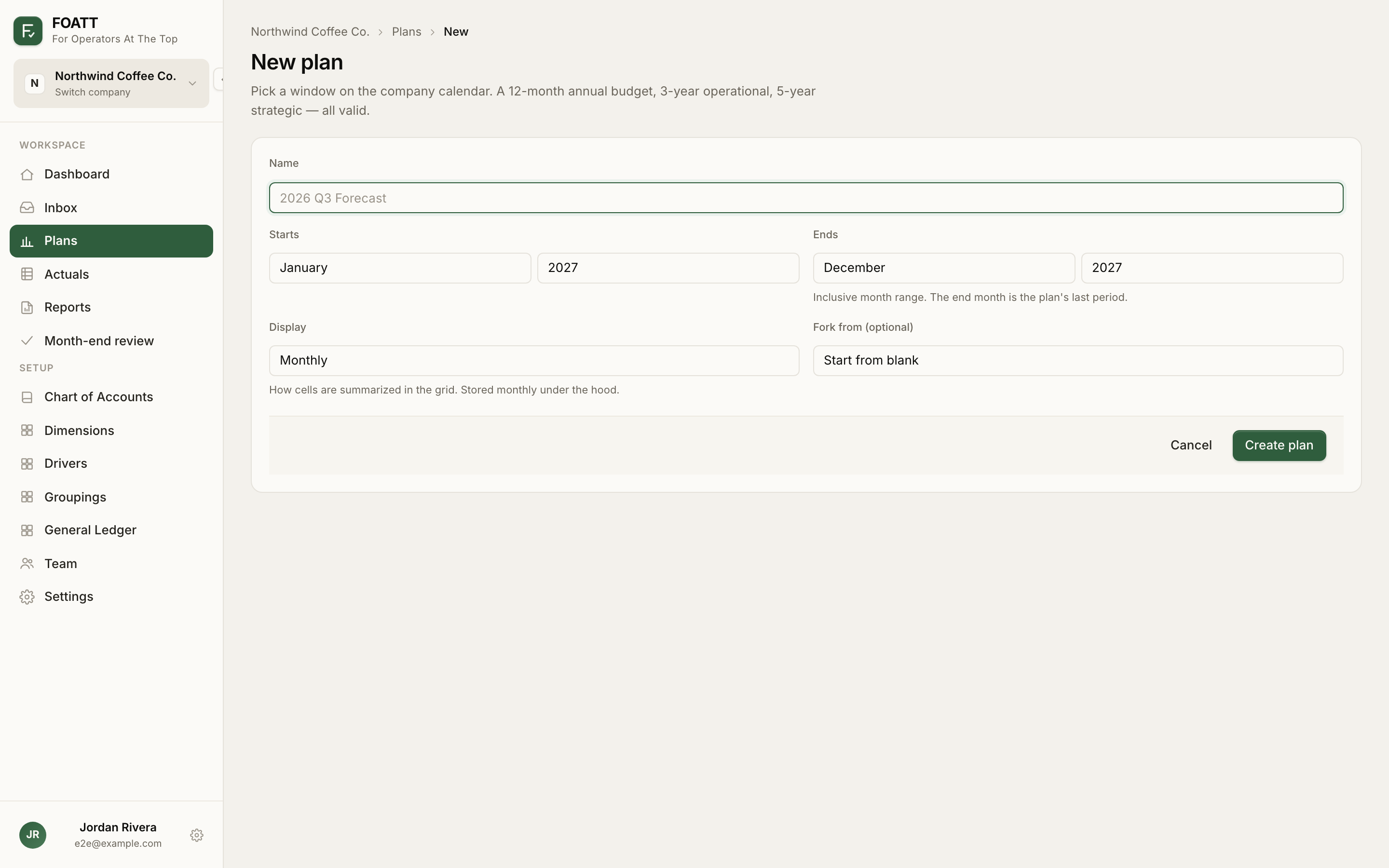
- Give it a Name such as
FY2026 Budgetor2026 Q3 Forecast. - Set Starts and Ends. This is an inclusive month range. A 12-month annual budget, a 3-year operational plan, and a 5-year strategic plan are all valid.
- Choose a Display granularity: Monthly, Quarterly, or Annual. Values are always stored monthly under the hood.
- Leave Fork from at Start from blank, or pick an existing plan to copy its values into the new window.
- Click Create plan.
You land on the plan grid with every active income-statement account listed down the left and one column per month across the top. The end month is the plan's last period; you can extend the window later from Edit this plan.
The plan list
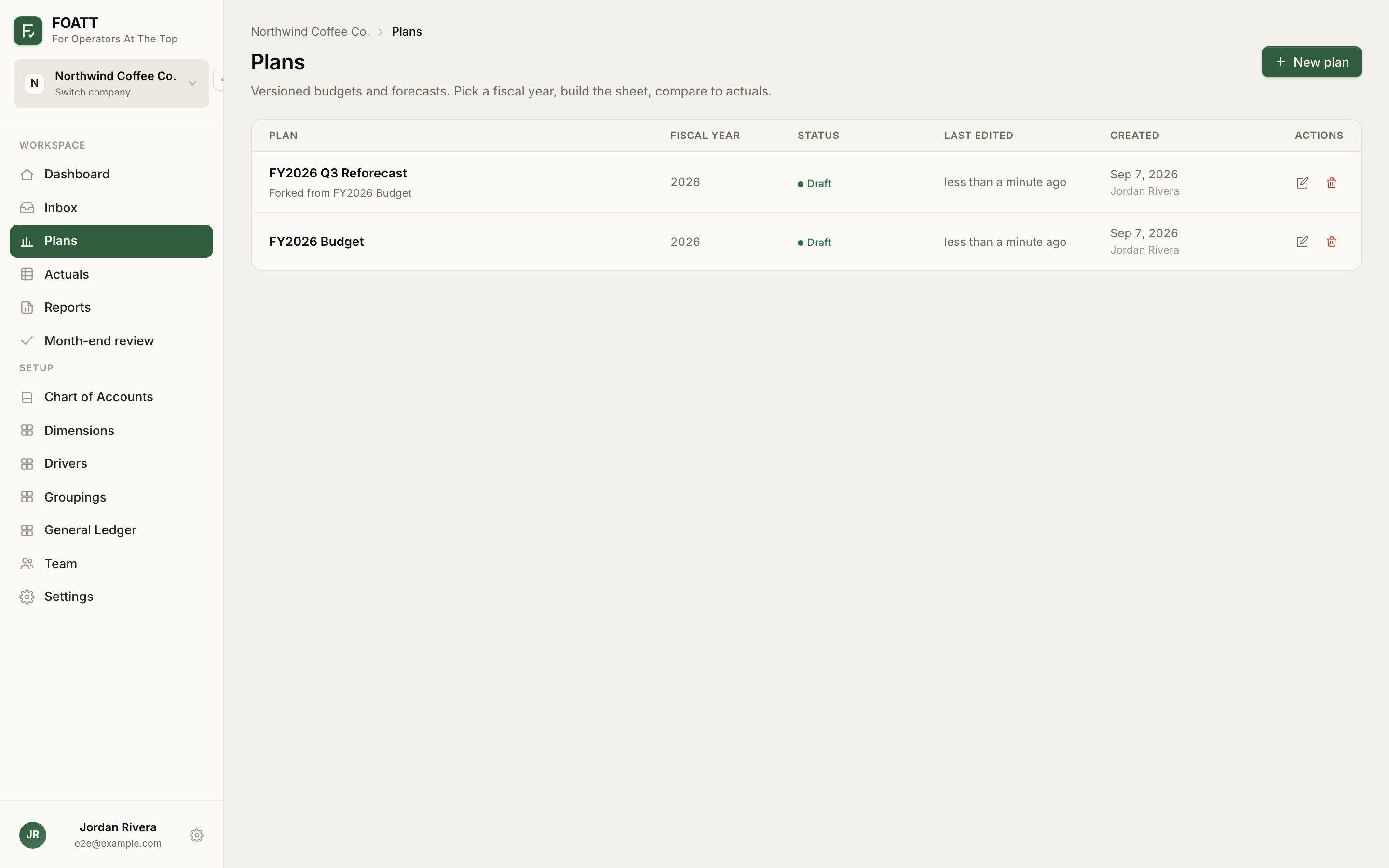
The Plans page lists every plan you can see, with its fiscal year, a Draft or Locked status pill, and when it was last edited. Plans forked from another plan show a Forked from line under their name. The pencil icon opens the name and date settings; the trash icon deletes the plan along with its cells. Locked plans hide both actions.
Forking a plan
Forking creates a new plan pre-filled with another plan's values, aligned by position — month 1 of the source pours into month 1 of the new plan, so a 2026 plan forks cleanly into a 2027 window. Start a fork from the Fork this plan link in the plan title menu, or choose a source in the Fork from field when creating a plan.
If you need the plan as it stood at a specific moment, use Fork from here in the history drawer. The new plan reflects that point in time and excludes later edits to the source.
Locking a plan
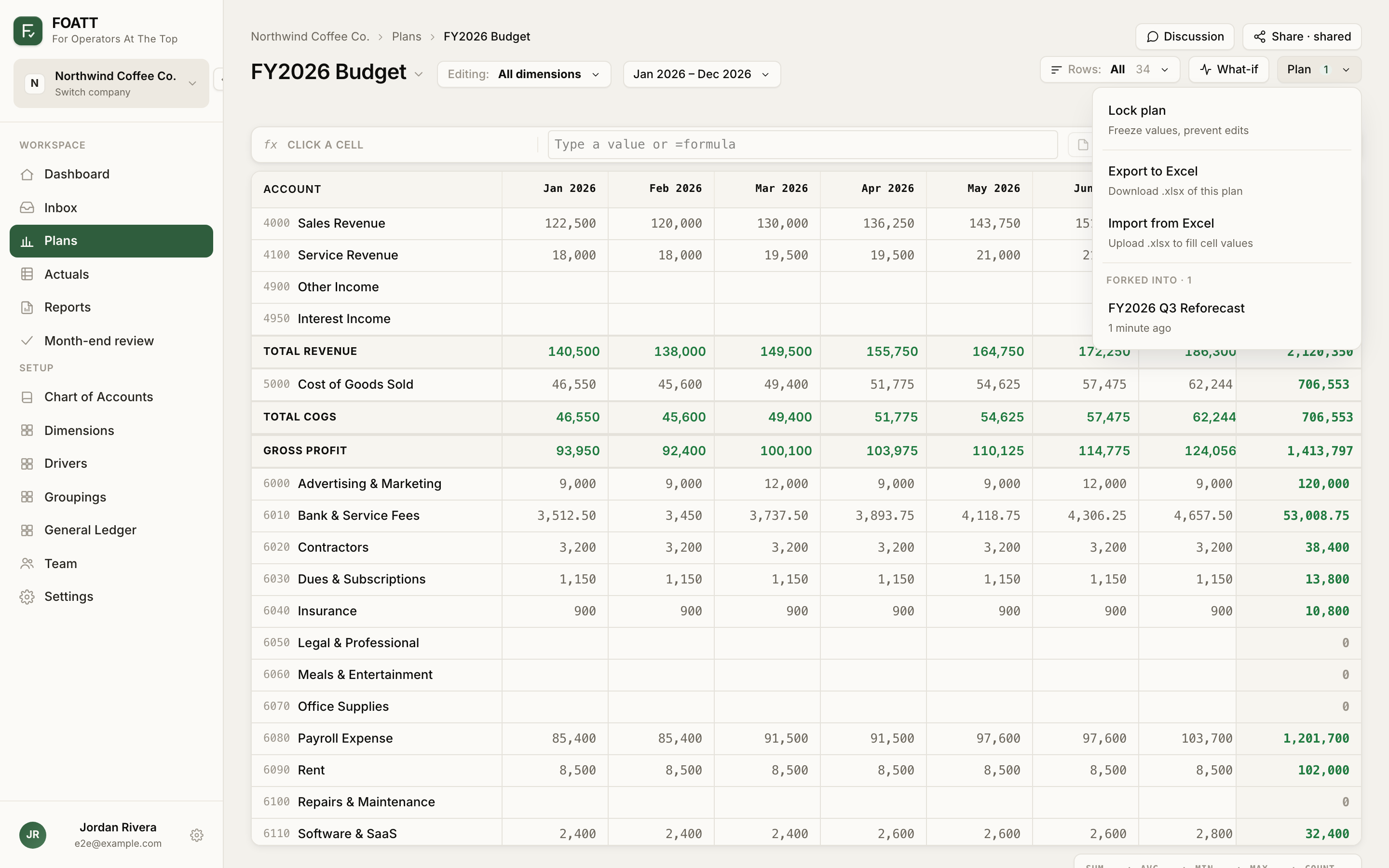
When a version is approved, open the Plan menu at the top right of the grid and choose Lock plan. Locking freezes every cell, disables the formula bar, and hides editing actions such as What-if, Import from Excel, and Edit this plan. History, notes, discussions, and forking still work on a locked plan. Unlock plan in the same menu reverses it.
Locked plans cannot be deleted or renamed. Unlock first if you need to change the header.