Drivers are company-level assumption rows you reference from formulas: headcount, average price, units sold, occupancy percent, cost per FTE. Change a driver value and every formula that uses it recalculates.
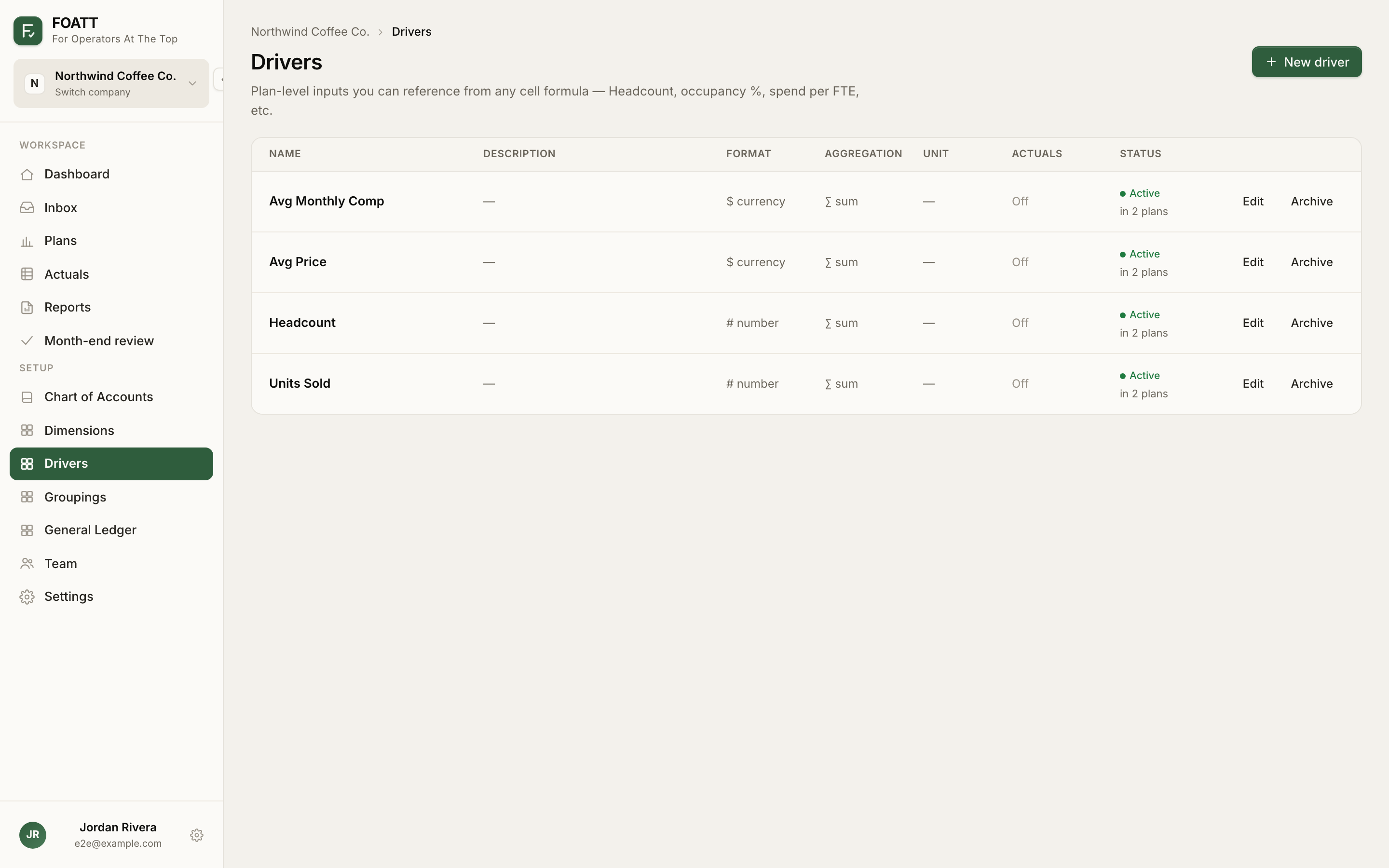
Create a driver
- Open Drivers under Setup in the sidebar and click New driver.
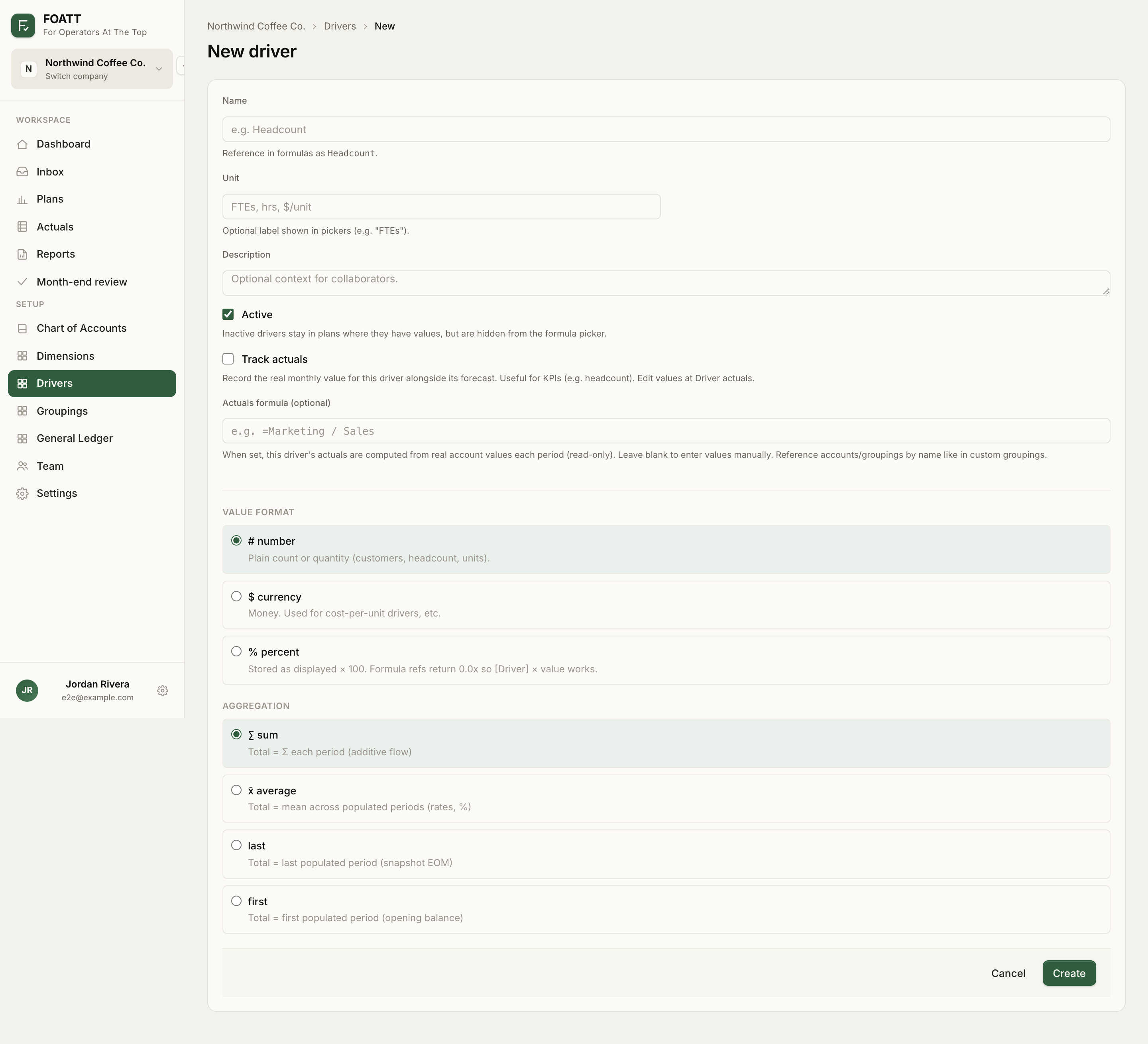
- Enter a Name. The page shows the token you will use in formulas: the bare name, or the name in brackets when it contains spaces, for example
[Avg Price]. - Optionally add a Unit label (FTEs, hrs, $/unit) and a Description.
- Pick a Value format and an Aggregation (below).
- Click Save.
Every active driver appears automatically in the Drivers strip at the bottom of every plan. Enter its values there the same way you enter account values, including formulas and paste.
Value format
| Format | Use it for |
|---|---|
| number | Counts and quantities: customers, headcount, units |
| percent | Rates. Enter 3.5 to mean 3.5%. A formula reference returns 0.035, so [Sales Revenue] * [Merchant fee %] works directly |
| currency | Money, such as cost per unit or average salary |
Aggregation
Aggregation decides what the driver's Total column and quarter or year subtotals show:
| Aggregation | Total shows |
|---|---|
| sum | The sum of every period. Use for flows like units sold |
| average | The mean of populated periods. Use for rates and percentages |
| last | The last populated period. Use for end-of-month snapshots such as headcount |
| first | The first populated period. Use for opening balances |
You can change format and aggregation later from the gear icon on the driver's row in any plan. The change applies across every plan that uses the driver.
Reference a driver in a formula
=[Units Sold] * [Avg Price]       revenue from volume and price
=[Headcount] * [Avg Monthly Comp] payroll
=Headcount!FY                     the driver's annual total
A bare driver name evaluates to the same month as the cell holding the formula. Add ! and a period for anything else.
Clearing and archiving
The clear icon on a driver row wipes that driver's values in the current plan only; the driver definition stays. On the Drivers page, drivers that are used in plans or have actuals are archived rather than deleted, so historical values are preserved.
Drivers are available on the Growth plan and above.