Every cell change is recorded with who made it and when. Batch actions such as paste or fill are grouped, so one undo reverts the whole batch.
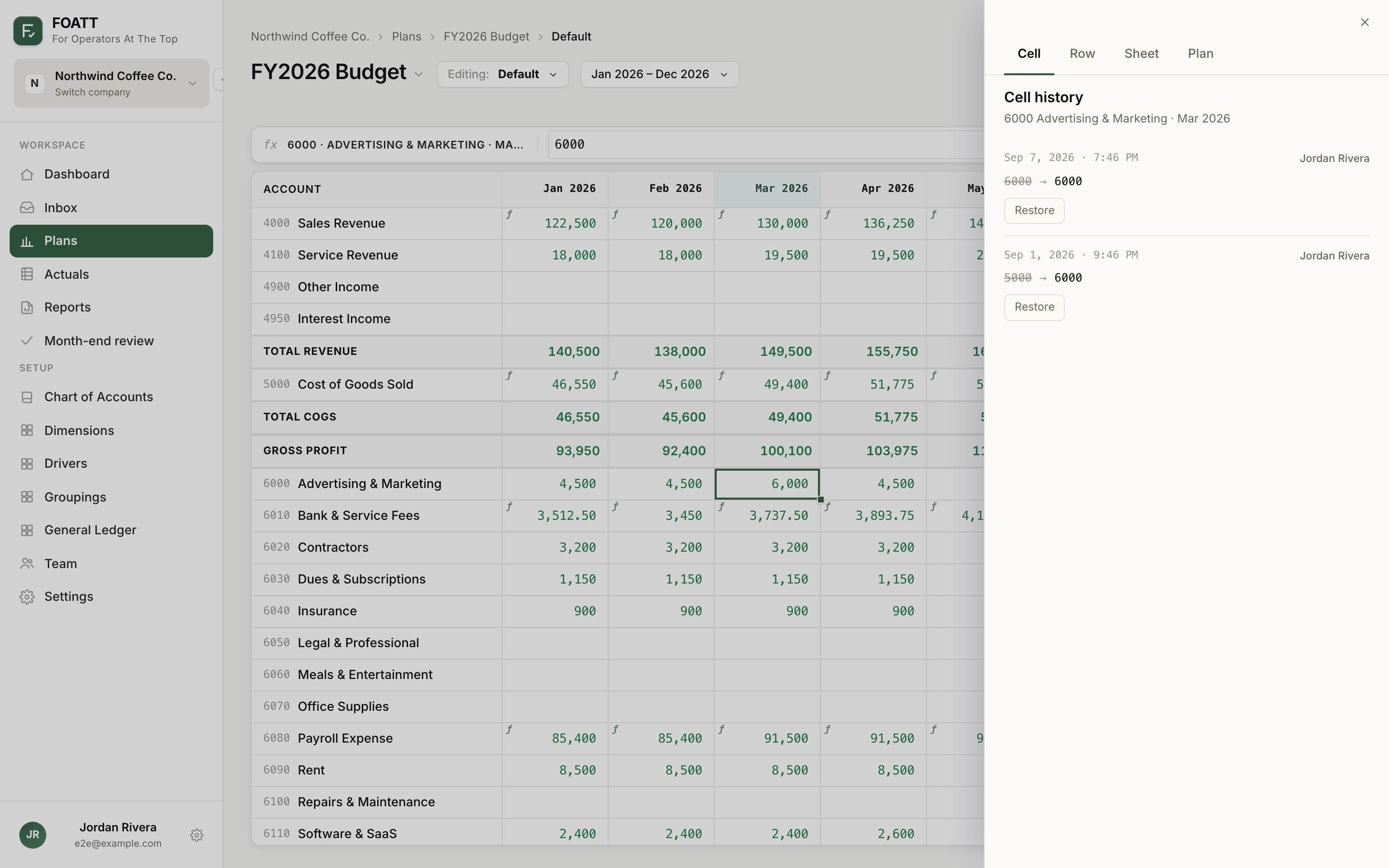
Open history
- Click History in the formula bar. With a cell selected it opens on that cell; with nothing selected it opens plan-wide history.
- Or right-click a cell and choose Cell history, Account history, Sheet history, or Plan history.
The drawer has four tabs:
| Tab | Shows |
|---|---|
| Cell | The last 50 changes to one cell, with the old and new value |
| Row | Changes to one account or driver row |
| Sheet | Every change across the rows in the current view |
| Plan | Every action across every dimension and account, back to when the plan was created or forked |
Entries show the timestamp, the author, the change, and an error or circular badge when the saved formula did not calculate. Grouped entries such as Pasted into 12 cells expand to list each cell.
Undo one action
Click Undo this action on any entry. Only that action is reverted; later edits stay in place. Use this when someone pasted over the wrong range an hour ago and you want to keep the work done since.
The keyboard shortcut Cmd/Ctrl + Z undoes your own most recent actions in the current session.
Restore a cell
On the Cell tab, click Restore next to any earlier value. The restore is recorded as a new revision, so you can roll forward again.
Roll back to a point in time
Rollback to here on a row, sheet, or plan entry reverts everything after that timestamp. This compounds: every later change is undone. The rollback itself is recorded, so nothing is lost. Cell, row, and sheet restore are available on Growth and above; whole-plan point-in-time rollback is available on Pro.
Fork from history
Fork from here creates a new plan that reflects the plan as it stood at that entry. It works on locked plans too, because it never modifies the source. Use it to recover an earlier version without disturbing the current one.
Locked plans
History stays readable on a locked plan, but undo, restore, and rollback are hidden until the plan is unlocked.