Dimensions are the secondary axes you plan and report on: departments, locations, cost centers, projects, or your own types. An account can be planned in total or broken down by dimension, and reports can pivot on them.
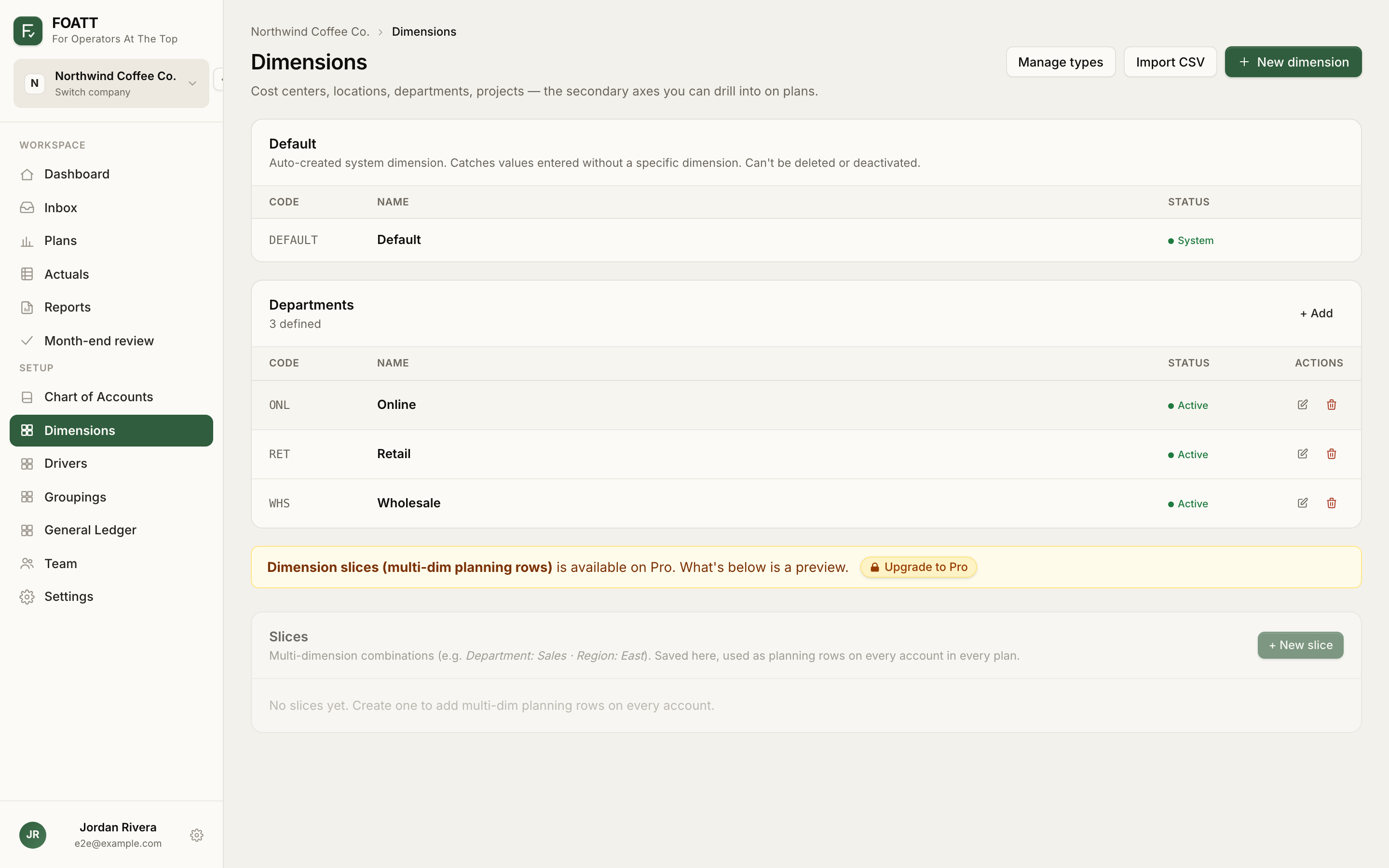
The Default dimension
Every company starts with a system dimension called Default. Anything entered without a specific dimension lands there, so a single-P&L company never has to think about dimensions at all. It cannot be deleted or deactivated.
Types
Four types are built in: Department, Location, Project, and Cost Center. On the Pro plan, Manage types lets you add your own, such as Region or Product Line. Each type has a slug used in CSV imports and formulas.
Add dimensions
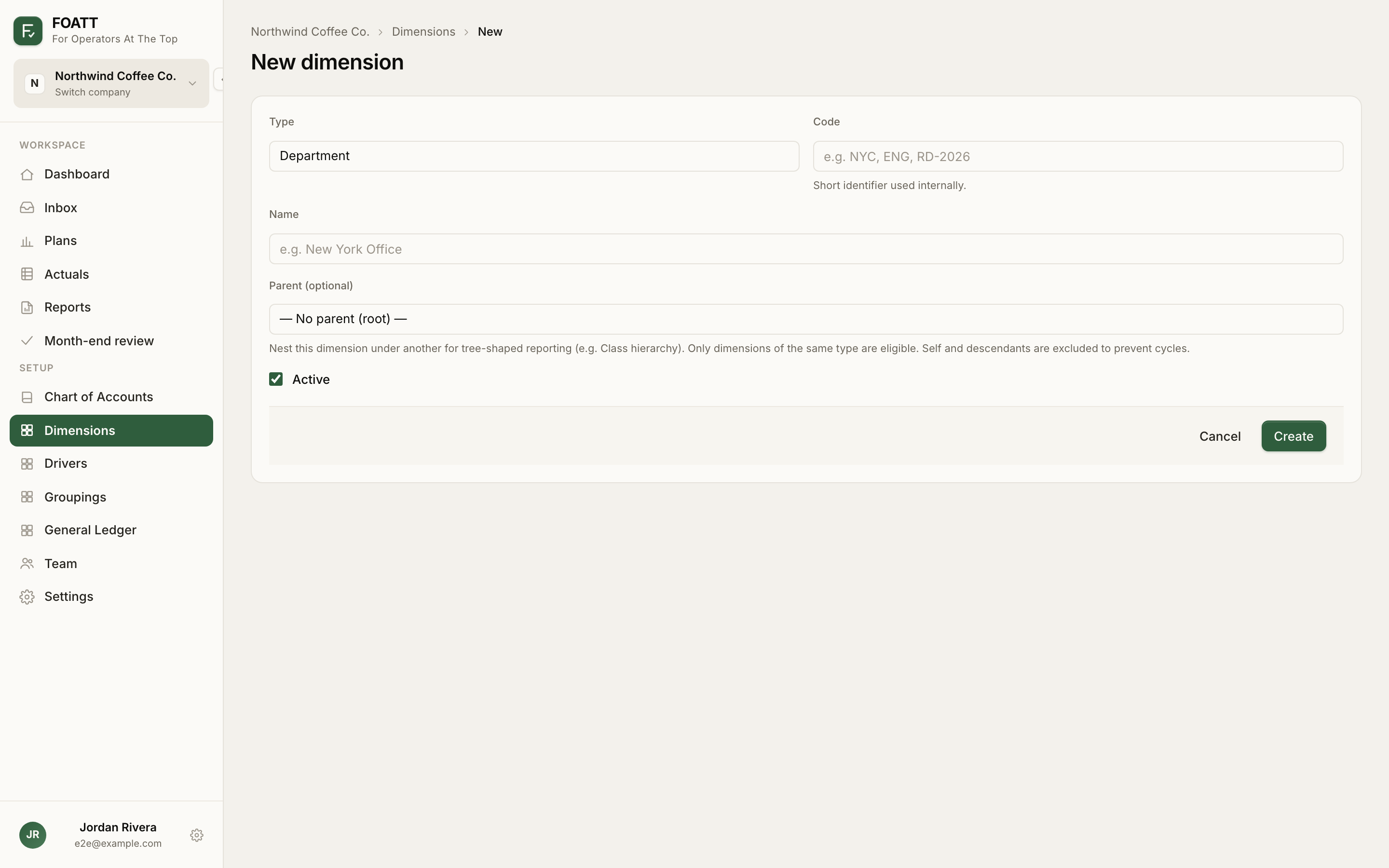
Click New dimension and fill in:
- Type
- Code — a short identifier such as
NYCorENG. Unique within the type. Formulas can reference it:=4000@NYC!May. - Name — the display name.
- Parent — optional. Nest a dimension under another of the same type to get tree-shaped subtotals in reports.
- Active
To add many at once, click Import CSV and use the template. Required columns are dimension_type, code, and name; add parent_code for nesting. Rows whose code already exists can update the existing dimension or be skipped.
Where dimensions come from automatically
A QuickBooks Online or NetSuite sync creates dimensions from classes, departments, locations, and projects and tags each ledger line with them. CSV and QuickBooks Desktop imports do not, so with those sources you add dimensions here and enter dimension-level plan values yourself.
Slices
A slice is a saved combination of two or more dimensions, such as Department: Sales · Location: NYC, that appears as its own planning row on every account. Create them under Slices at the bottom of the Dimensions page. The combination is locked once saved; archive a slice to hide it without losing its data. Slices are a Pro feature.
Limits
The number of dimensions per company depends on your plan: Starter allows 5, Growth 25, Pro 100, and Enterprise has no limit.
Next
Once dimensions exist, use the Editing scope on the plan grid to enter values per dimension. See Plan by dimension.