Signing up takes about five minutes. The wizard asks a few questions so it can recommend a plan and tailor the workspace, then creates your organization and company.
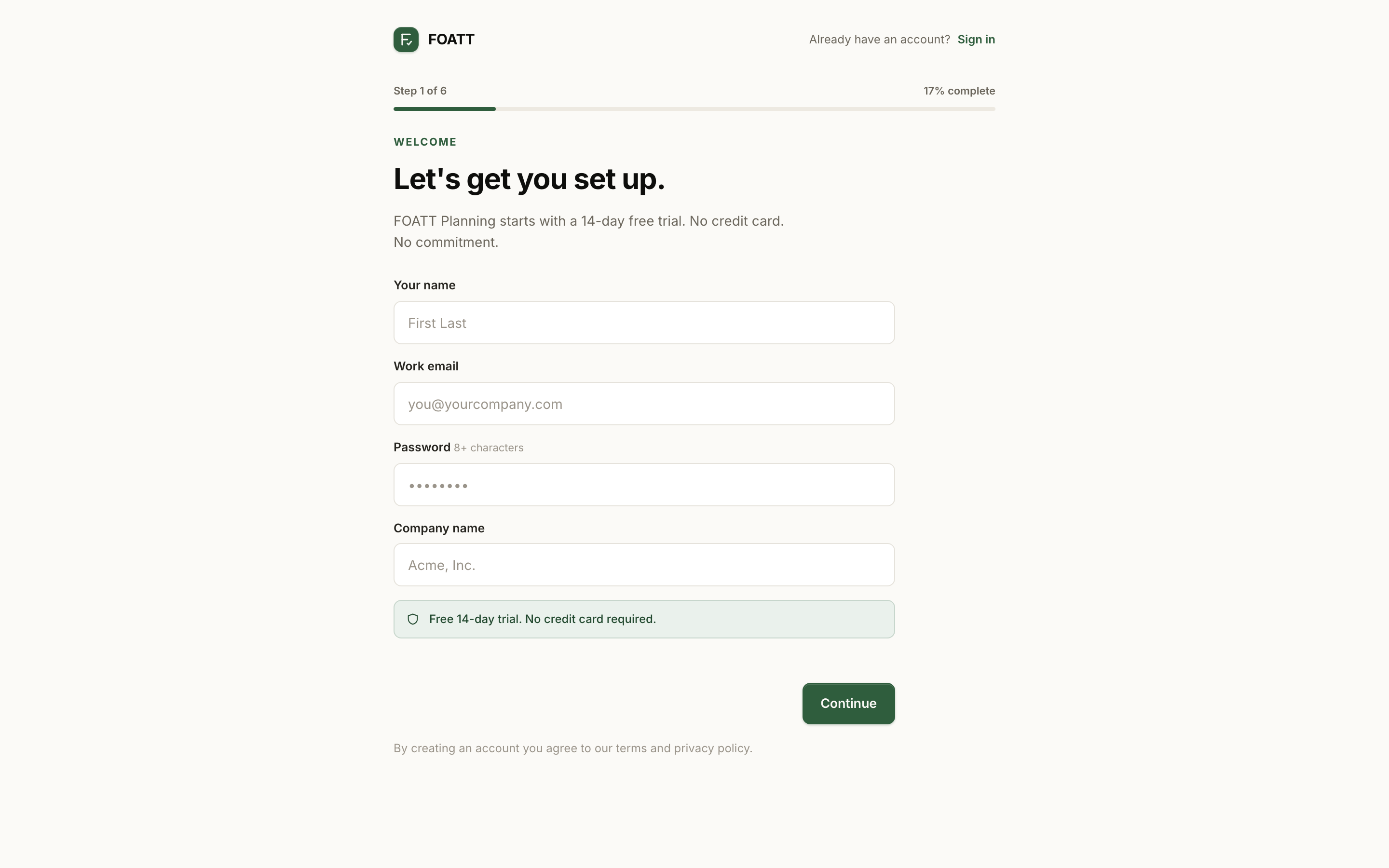
The six steps
- Account — your name, work email, a password of at least 8 characters, and your company name. If a teammate invited you, follow the link in their email instead: it skips the wizard and drops you straight into their workspace.
- Your role — Operator, Controller / CFO, Fractional finance, or Accounting firm. This only tunes the welcome guidance.
- Company structure — how many legal entities you plan for, your fiscal year start month, and how you slice your books: a single P&L, a few dimensions, or multi-dimensional. If you pick two or more entities you also name the parent organization.
- Accounting system — where your books live today. QuickBooks Online and NetSuite connect directly, QuickBooks Desktop imports from an export, and everything else uses CSV templates.
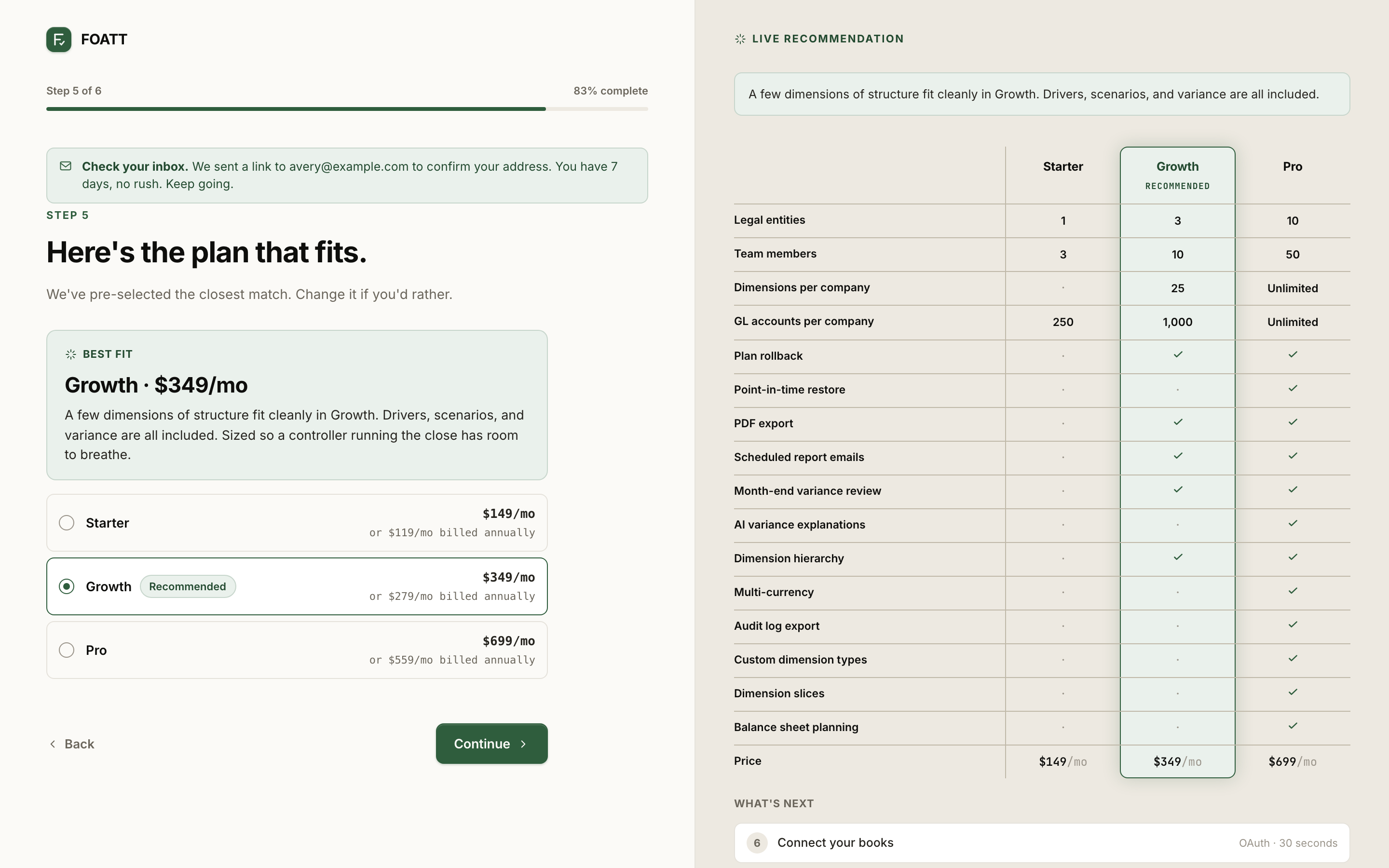
- Plan — the recommended tier is pre-selected. The recommendation comes from the strictest of your answers: multi-dimensional planning or four-plus entities point to Pro, a few dimensions or two to three entities point to Growth, and a single P&L points to Starter. You can change tiers at any time from Billing.
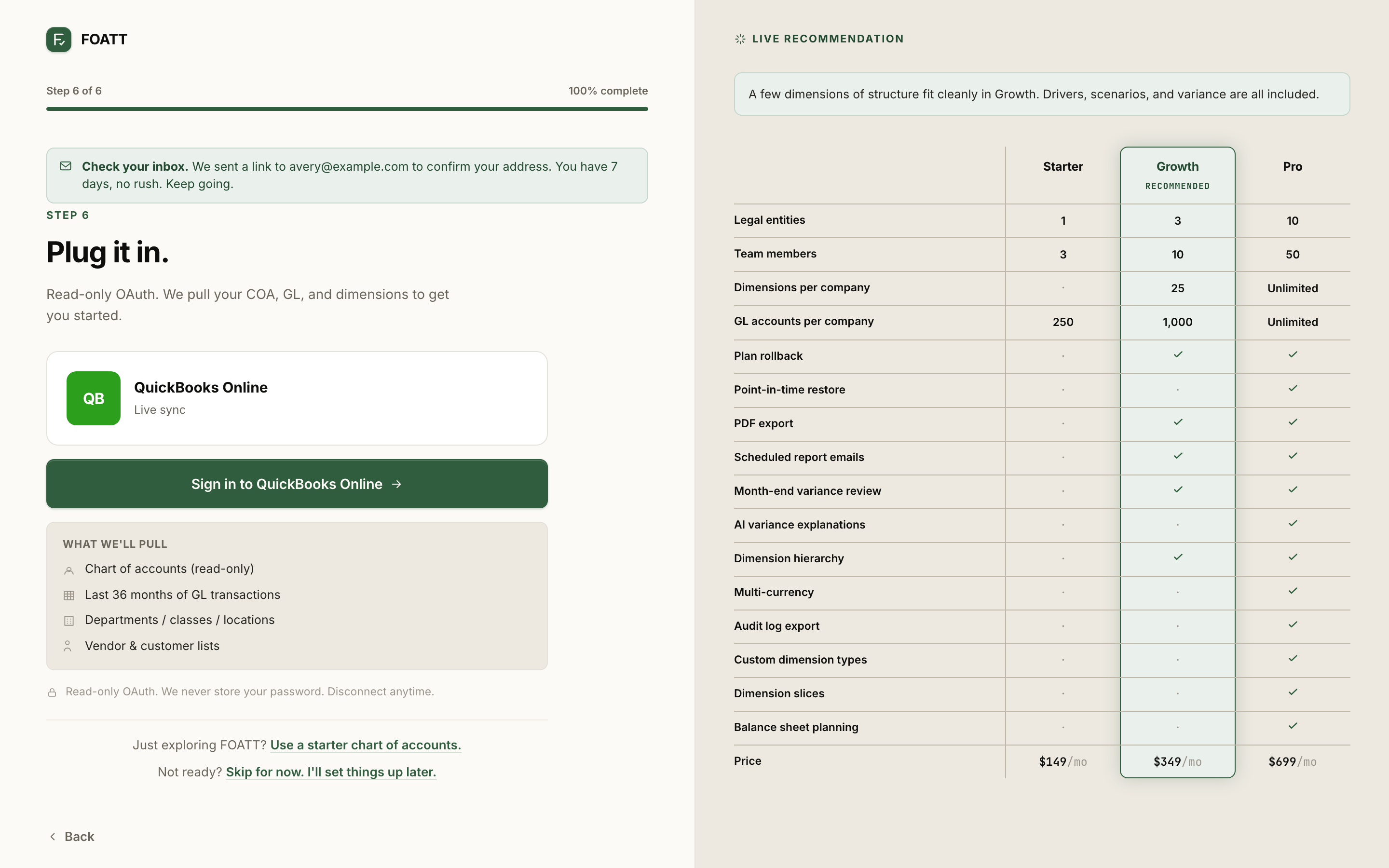
- Connect your books — the final step creates your workspace and hands you to the right next action for your accounting system.
Two shortcuts on the last step
- Use a starter chart of accounts loads a standard small-business chart so you can explore the planning grid immediately. You can edit or replace it later.
- Skip for now creates the workspace and takes you to the Chart of Accounts page, where every import option is laid out.
Confirm your email
After step 1 we email a confirmation link that stays valid for 7 days. You can keep going without it. Confirming makes sure password resets and invitations reach you.
Leaving and coming back
Your answers save as you go. If you close the browser partway, signing in returns you to the step you left. Nothing is created in your workspace until you finish step 6.
What gets created
Finishing the wizard creates an organization (the umbrella that holds companies and billing) and your first company (a set of books with its own chart of accounts, fiscal year, and time zone). Your 14-day trial starts at this point. You are the company admin, so you can invite others straight away.