Export
Open the Plan menu at the top right of the grid and choose Export to Excel. The workbook contains:
- A Plan sheet with the roll-up: account number, account name, one column per month, and a total.
- One sheet per dimension, named with the dimension's code and name.
- A Drivers sheet if the plan has driver rows.
Formulas are exported as their values. Grouping and subtotal rows are not included.
Import
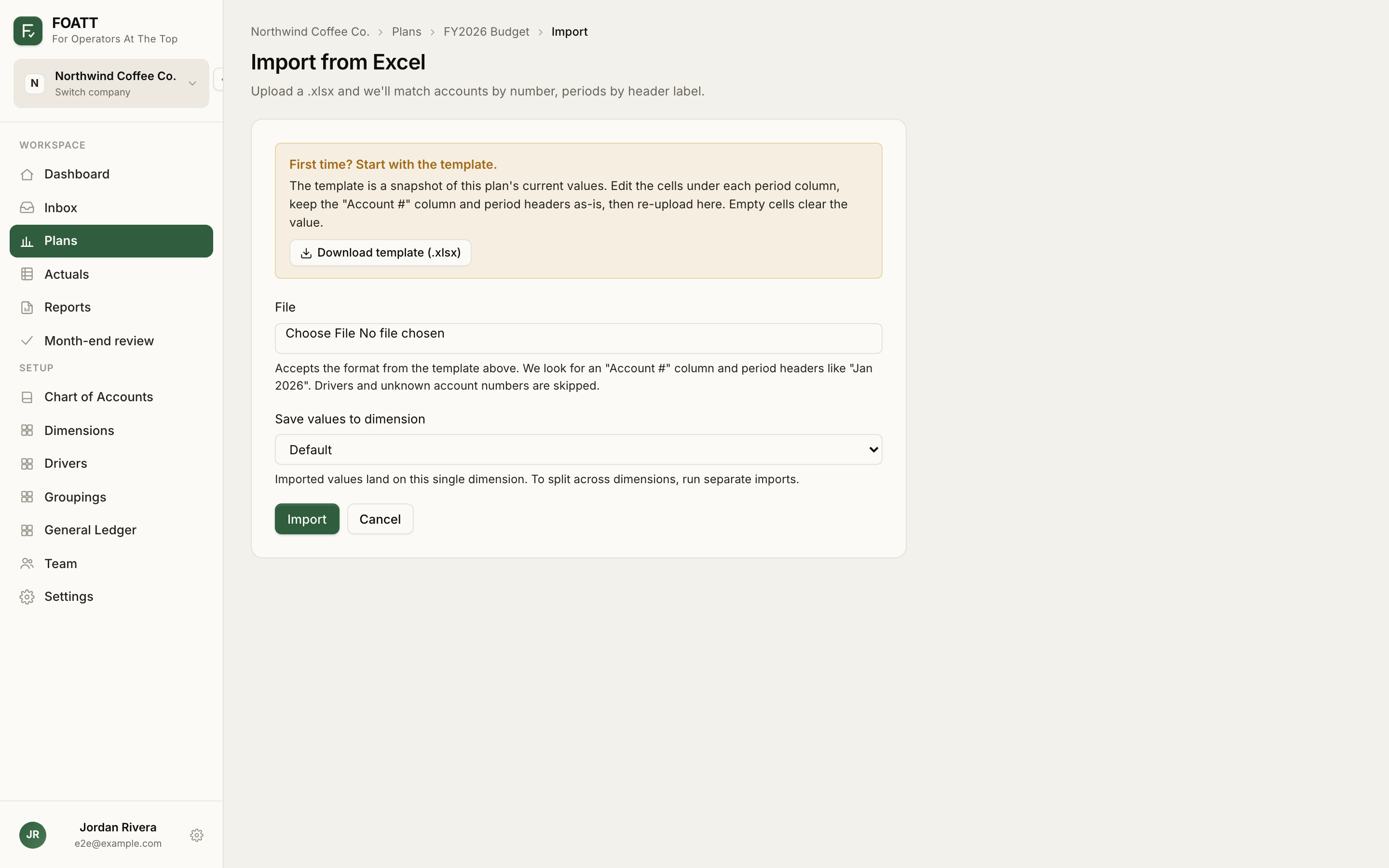
- Open the Plan menu and choose Import from Excel.
- First time? Click Download template (.xlsx). The template is a snapshot of the plan's current values in exactly the layout the importer expects.
- Edit the numbers under each month column. Keep the Account # column and the month headers as they are.
- If the company has more than one dimension, choose which dimension the values should land on under Save values to dimension. To spread across dimensions, run one import per dimension.
- Choose the file and click Import.
Accounts are matched by number and months by header label such as Jan 2026. Rows whose account number does not match an active income-statement account are skipped, as are driver rows. Empty cells clear the value. Every imported cell is recorded in history, so an import can be undone like any other batch.
Import is blocked while the plan is locked. Export and import are included on every plan.