Sharing
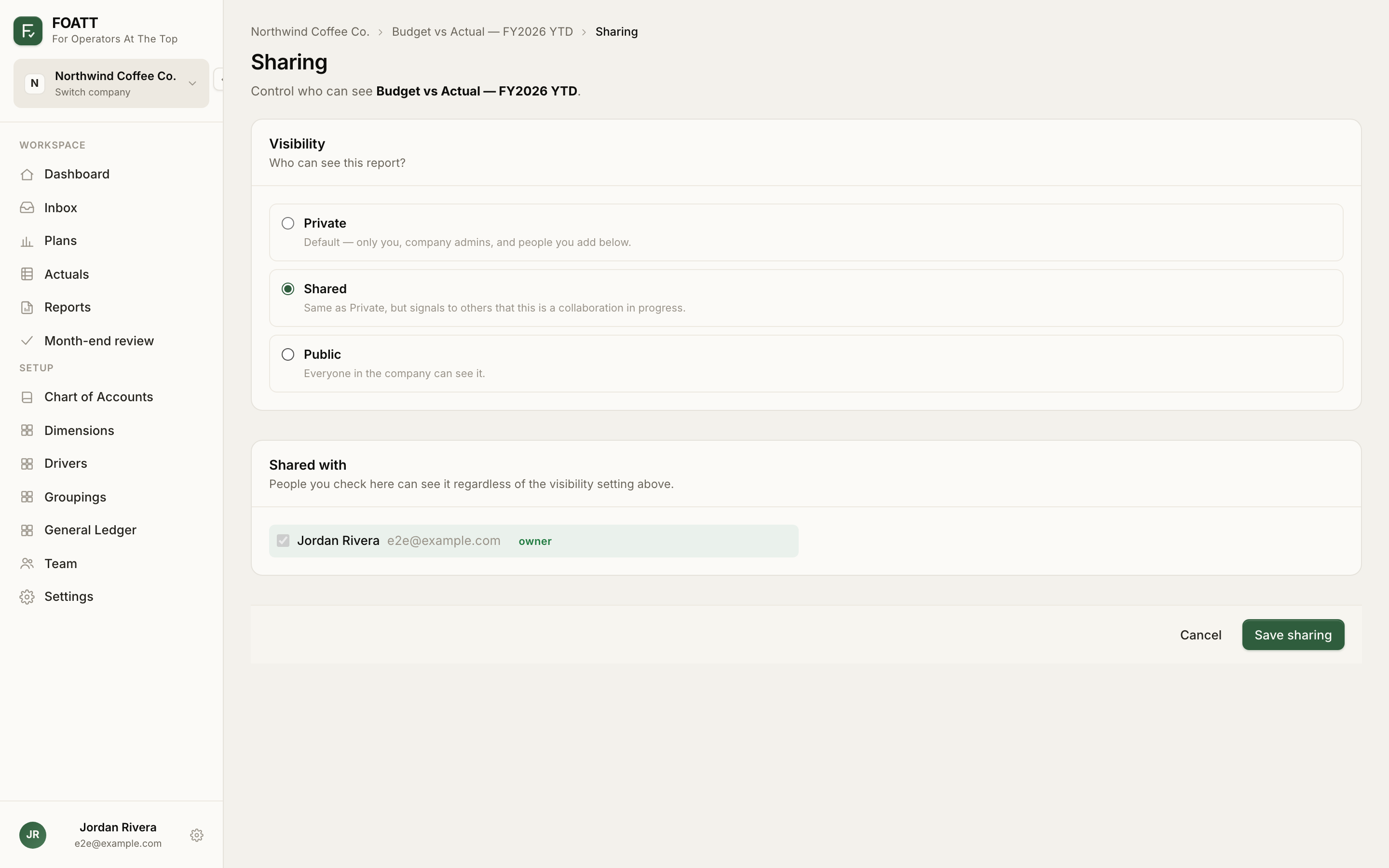
Click Share at the top of a report. The Sharing page has the same three levels as plans:
| Visibility | Who can see it |
|---|---|
| Private | You, company admins, and anyone ticked under Shared with |
| Shared | Same as Private, flagged as a work in progress |
| Public | Everyone in the company |
Tick people under Shared with and click Save sharing. Only the report's creator and company admins can change sharing; everyone else sees a visibility pill instead of the button.
Export
Export CSV and Export Excel at the top of the report download the table as it is currently configured. Both start with the company name, report name, description, and date range, and the Excel file keeps your formatting choices — parentheses for negatives, dashes for zeros, thousands scaling — as native number formats.
Scheduled deliveries
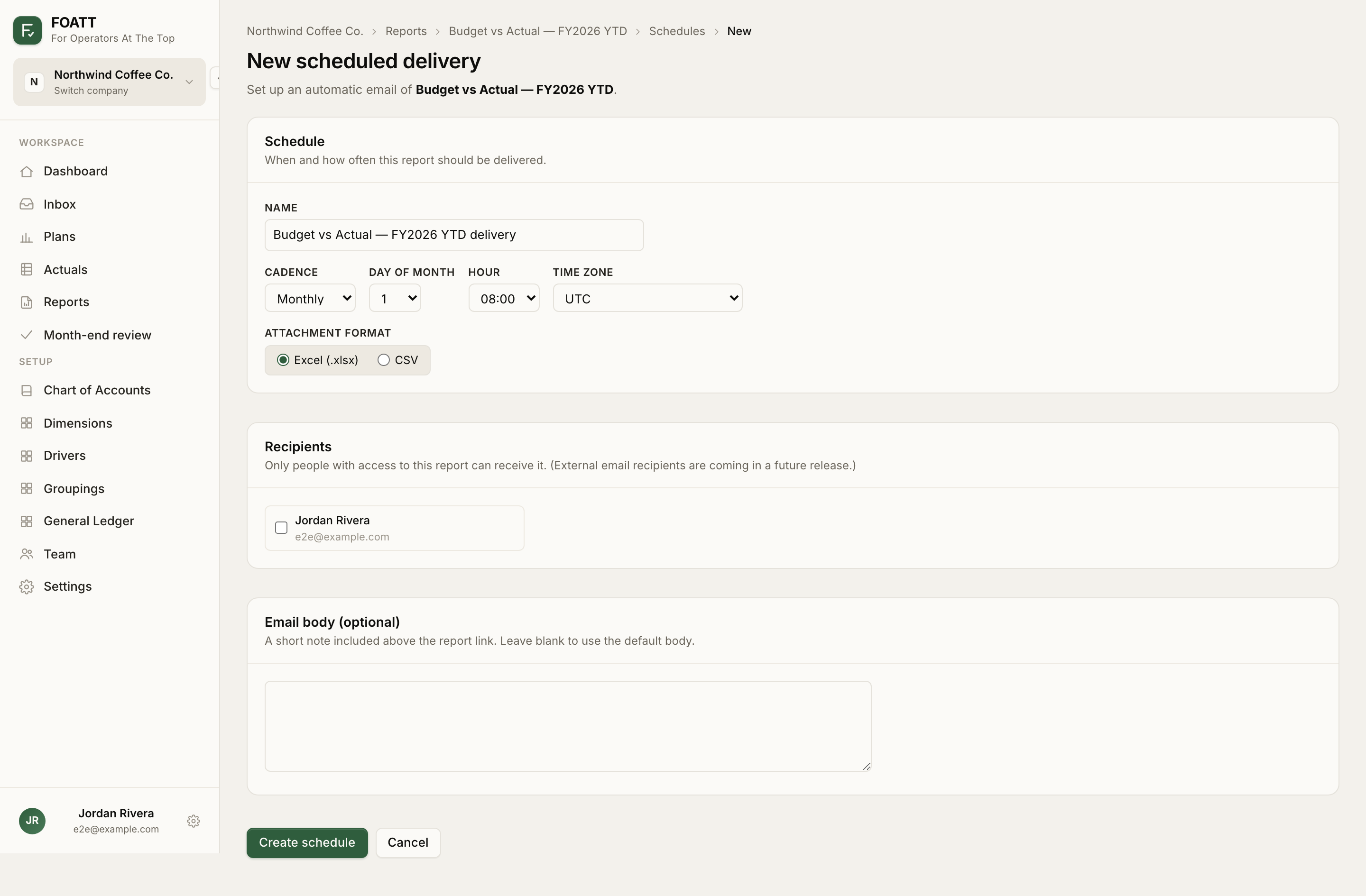
Click Schedule at the top of a report, then New schedule:
- Name the delivery.
- Choose a Cadence: Daily, Weekly (pick days), Monthly or Quarterly (pick a day of the month, 1 to 28).
- Set the Hour and Time zone.
- Choose the Attachment format: Excel or CSV.
- Tick Recipients. Only people who can already see the report are eligible.
- Optionally add a short Email body.
- Click Create schedule.
Pair a schedule with an Auto-rolling date range so each delivery covers the latest complete months. Use Send now to test a delivery without affecting the cadence, and Pause to stop one temporarily. A schedule pauses itself after three consecutive failures or if no recipient can access the report any more.
Scheduled deliveries on the Reports page lists every schedule in the company. Scheduled reports are available on Growth and above.