The Pivot Axes card is where you decide the shape of the table. Drag fields from the library onto Rows or Columns; the order inside a lane is the nesting order, outer to inner.
Fields
| Field | Breaks the report down by |
|---|---|
| Account | Individual GL accounts |
| Account Type | Revenue, expense, asset, liability, equity |
| Period | Months, quarters, or years |
| Dimension | Specific dimension members such as departments |
| Dimension Type | Every member of a type, for example all locations |
| Slice | Multi-dimension combinations (Pro) |
| Company | One block per company in a consolidated report |
| Series | Plan, actual, and variance columns |
| Spacer | A visual gap after the previous field |
Each field can appear once across rows, columns, and filters. Chips cannot be dragged between the Rows and Columns lanes; remove the chip and drop the field again on the other lane.
Configure a field
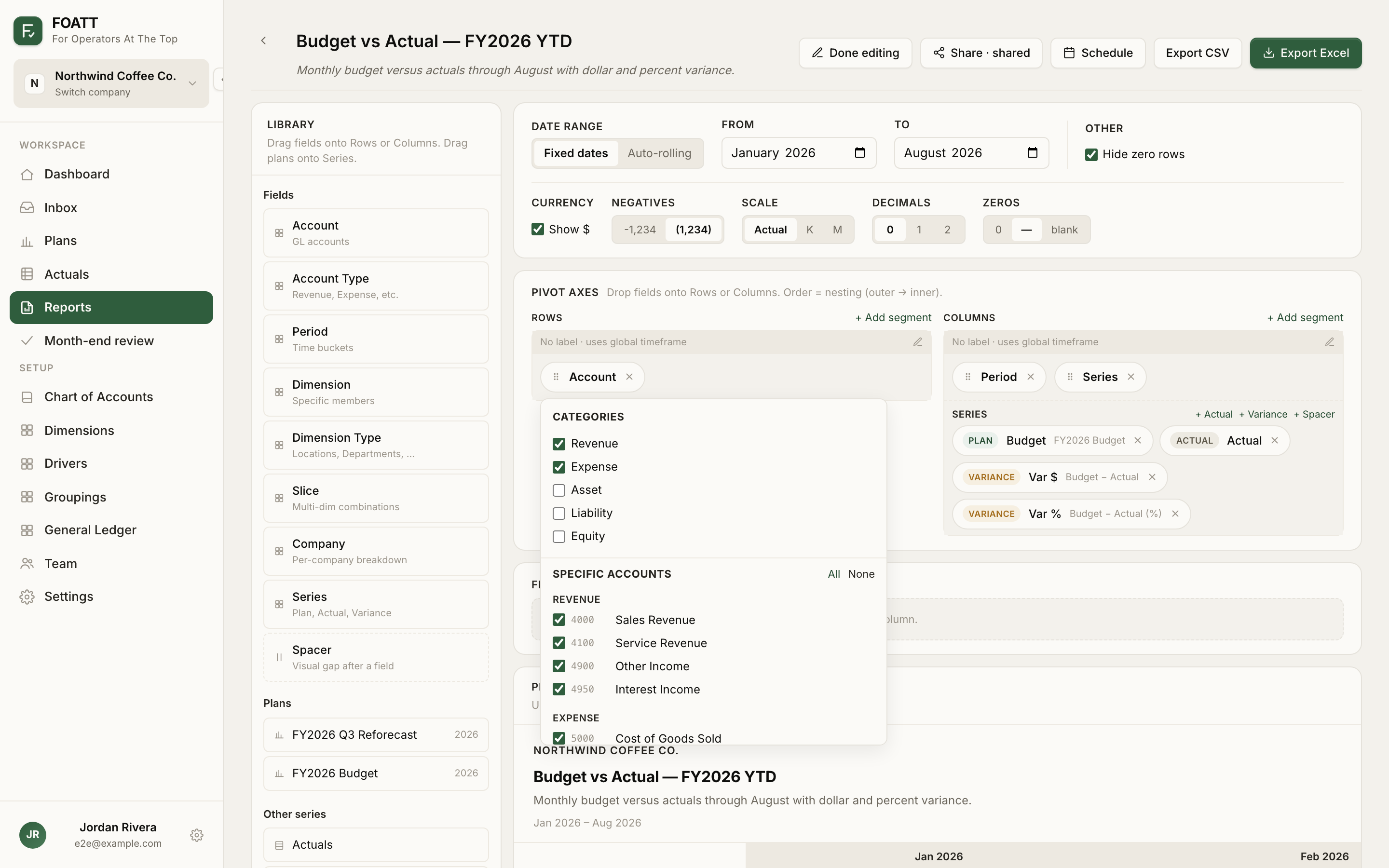
Click a chip to open its inspector. The Account inspector lets you tick categories, pick specific accounts, and Show groupings, which weaves your calculated rows such as Total Revenue and Gross Profit into the report at their normal positions. Dimension and Dimension Type inspectors let you pick members, roll unselected members into an Other row so totals still tie, and expand parent-child hierarchies with a subtotal after each parent.
Every row or column field also has a Show subtotal option, with an optional label, that adds a subtotal after each value of the field.
Filters
Drop Account, Account Type, Dimension, Dimension Type, or Slice onto the Filters card to restrict the report without adding a row or column. A filtered report of Department: Marketing with Account on rows gives you a departmental P&L.
Filters stay visible in view mode, so people reading the report can see what it is limited to.
Slice handling
When you use dimensions and also have slices, the Dimension inspector's Slice handling setting decides what happens to multi-dimension records: hide them, show them as their own rows, or spread them across every dimension they belong to. The last option can make totals exceed the ledger; the report shows a note when it is on.