The trial
Every new organization starts a 14-day trial on the tier you picked during sign-up. No credit card is needed. The Billing & Plans page under Settings shows how many days remain, and a banner appears at the top of the app during the last week.
When the trial ends, your data stays put but editing stops: plans, reports, and imports become read-only until you subscribe.
Choose a plan
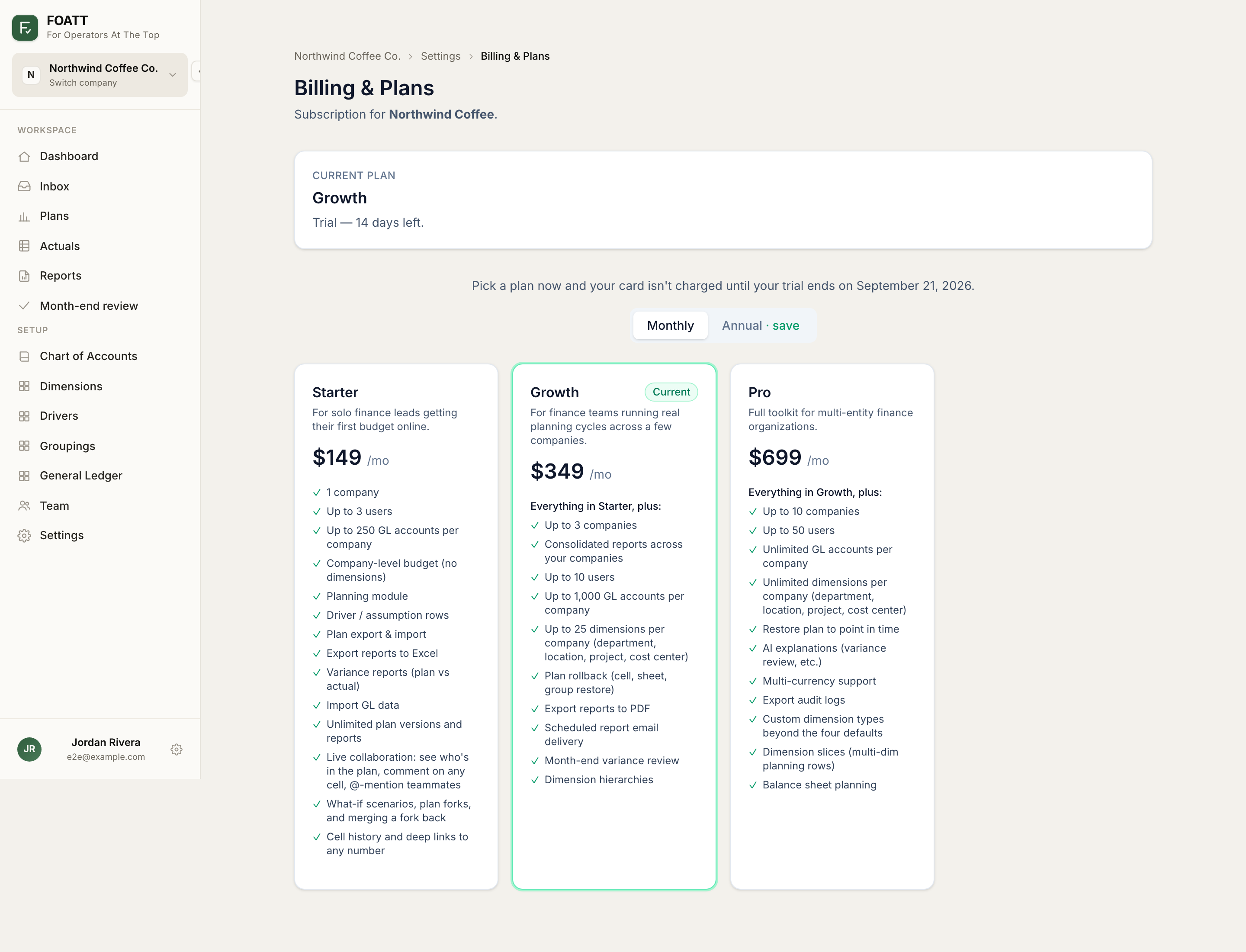
- Open Settings → Manage billing, or click Upgrade in the trial banner.
- Switch between Monthly and Annual billing. Annual pricing is shown per month with the yearly total underneath.
- Click Choose on a tier. You are taken to a secure checkout, and the subscription starts as soon as payment completes.
Each tier card lists exactly what it includes. The main differences: Starter covers ledger import and Excel report export only, and does not include the planning module. Growth adds planning, drivers, variance reports, scheduled deliveries, bank integration, checklists, and plan rollback. Pro adds point-in-time plan restore, Excel plan export and import, custom dimension types, slices, and multi-currency. Enterprise removes limits and adds SSO.
Tiers also cap how many companies, users, plans, reports, and dimensions you can have. The current caps are shown on the sign-up comparison table.
After you subscribe
The Billing page shows your next charge, the card on file, and a billing history with receipts. Manage billing opens the secure billing portal where you can update your card, download invoices, change tiers, or cancel. Upgrades and downgrades are prorated automatically.
Who can manage billing
Billing belongs to the organization. Organization admins can view and change it; company-level roles cannot.